
Method 1:
- Create shipment following the instructions on this article.
- After pairing the device, you will see a confirmation screen. Choose the Set you want to assign to the shipment by selecting it from the dropdown menu
Method 2:
- Go to the Visibility view
- Select the checkbox on the left side of your shipment
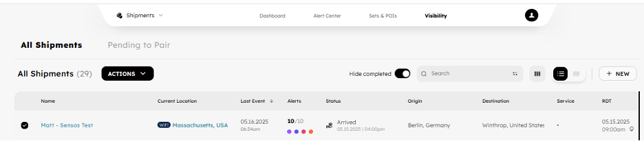
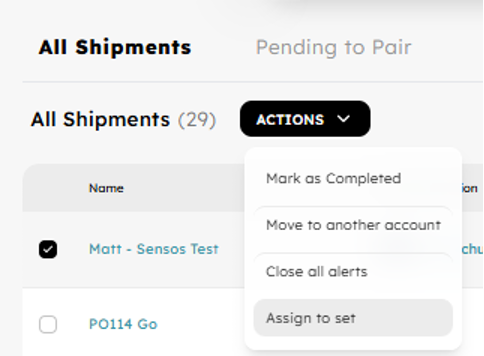
- Click on Actions, then Assign to set
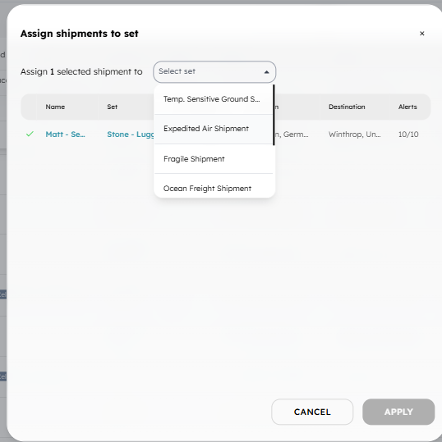
- Select the Set from the dropdown and click Apply
Method 3:
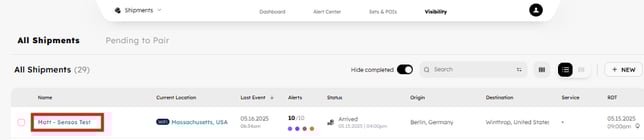
- Go into the Shipment Details by clicking on the Shipment Name
- Click on the 3 dots on the top right of the screen:
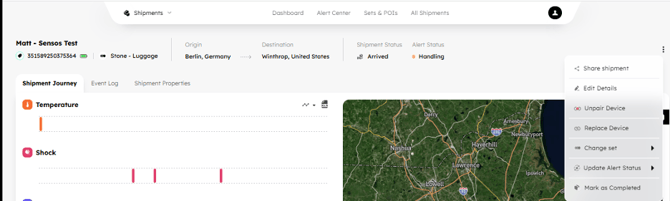
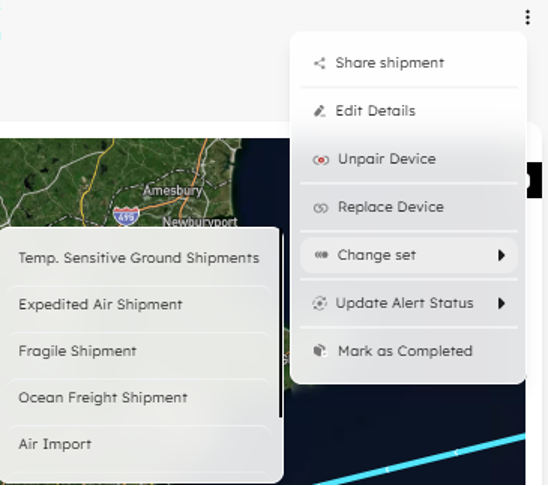
- Click on Change Set and select the new set
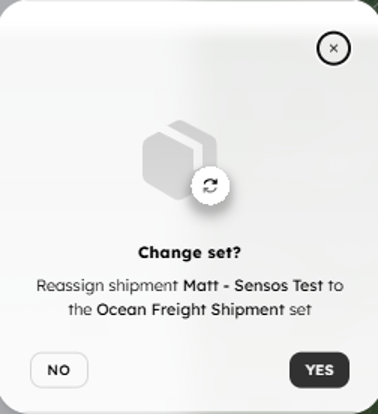
- Confirm
Sets and Asset Tracking Note:
Assets follow the same Set assignment model as shipments. When assigning a Set to an asset, shipment-only fields are ignored, while label behavior and alert thresholds remain active.