
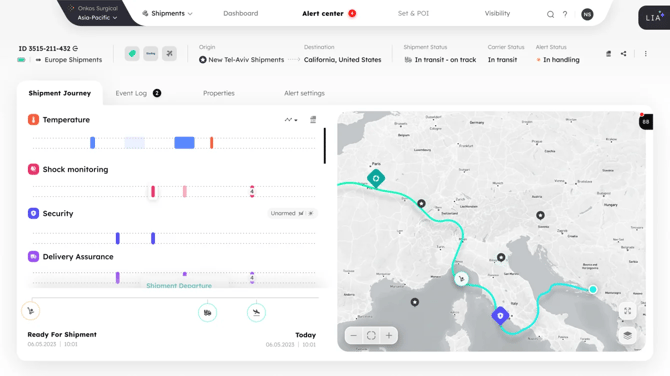
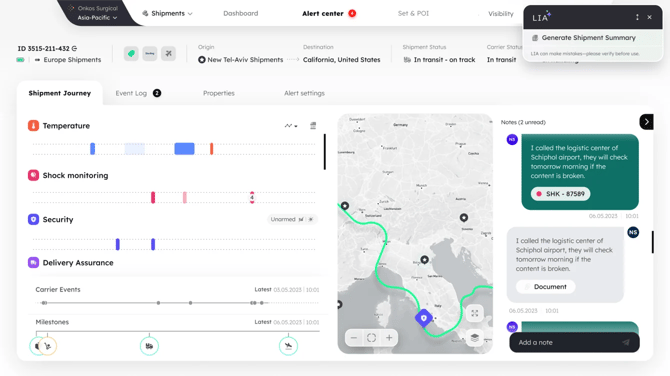
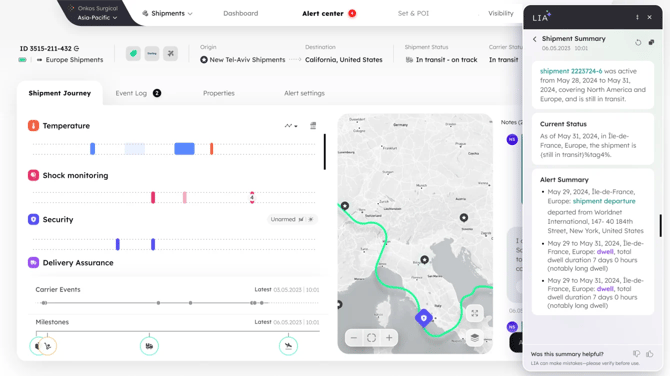
The AI Shipment Summary panel provides a clear, human-readable narrative of your shipment journey, automatically generated from sensor and activity data.
Instead of manually reviewing shipment logs, you can access a concise summary covering:
- Shipment Name
- Activation Location
- Static, Movement & Dwell Time
- Countries Visited
- Distance Traveled
- Transit Duration
- Alerts Summary (humidity, temperature, etc.)
- Carrier Activities
- Air Waybill/flight activities
- Special Events (tampering, parcel opening, unauthorized stops)
- Current Status
Use Cases
- Get the status of a shipment.
- Copy the summary and share it outside the platform.
- Audit claims in the summary with direct links to the underlying shipment events.
- Review shipments even when partial data is available — fallback messages highlight missing data.
📌 Note: The AI Shipment Summary does not provide predictions, anomaly detection, or decision support. It only converts shipment data into a narrative format.
Generating Summaries from the Shipments List
You can generate and view LIA shipment summaries directly from the AllShipments view, without opening each shipment’s details page. This helps you review statuses, identify risks, and triage exceptions faster.
How It Works
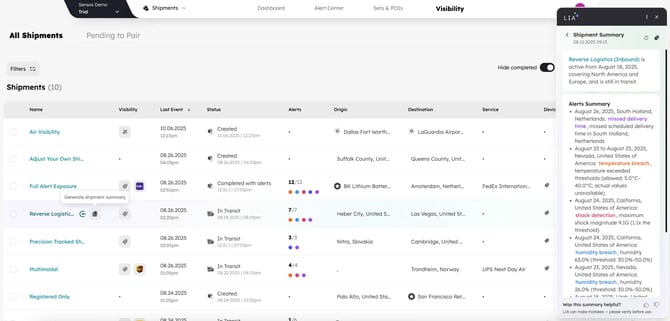
Single Shipment Summary
- Go to Visibility.
- Move your cursor to the row of the Shipment that you want an AI Summary for.
- The LIA Shipment Generate button will appear next to the shipment name.
- Click Generate summary
- A right-hand drawer will open, showing LIA’s AI Shipment Summary.
Multiple Shipment Summaries
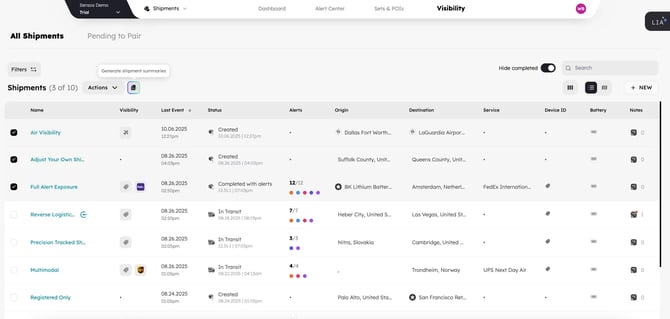
- Go to Visibility.
- Click between 1 and 10 of the check boxes next to the shipments you want an AI Summary for.
- The Generate Shipment Summaries button will appear at the top of the table near the existing bulk actions.
- Click the button.
- A right-hand drawer will open, showing a list of LIA’s AI Shipment Summaries.
What You’ll See in the Drawer
Each shipment summary contains:
- The AI-generated overview
- Timestamp showing when it was generated
- Refresh to regenerate the summary
- Copy to copy the text
- Open details link to jump into the shipment
Notes
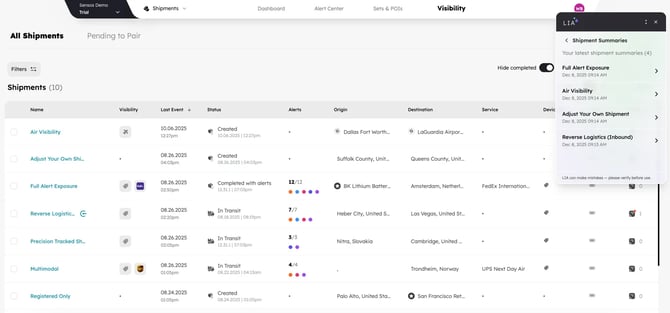
- All past shipment summaries are accessible via the right-hand drawer.
- Each shipment runs its own summary. There is no combined multi-shipment summary.
- The underlying intelligence and data used to generate the summary remain the same as on the Shipment Details Page; only access has been improved.
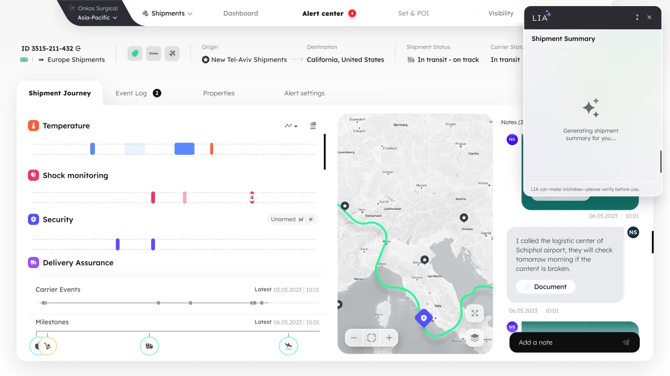
- The feature includes full state handling: idle, loading, success, and error.
LEARN MORE
Get in Touch. We’re Here to Help.
Let’s discuss how Sensos can transform your logistics operations:
Contact Us