
The Shipment Share Link lets you share real-time shipment information with external partners using a secure, read-only link. With the Shipment Share Link, you can gain more clarity, more control, and a more complete view of your shipments - even when sensor data isn’t available.
Guided Share Flow
The share experience walks you through the steps before generating a link, so you always know exactly what the recipient will see.
You can preview the public view and confirm the contents before sharing.
Time-Bound Access
You can choose how long a share link remains active.
Available options include:
- 24 hours
- 3 days
- 7 days
- 30 days
- No expiration (for approved use cases)
Expired links clearly display an “Expired” page, protecting your data and helping recipients understand why access is unavailable.
Expanded Public View for All Shipment Types
Links for shipments without Sensos labels display:
- Shipment metadata
- Milestones and progress updates
- Relevant timestamps
- Location updates (when available)
This ensures your external partners always receive a clean, meaningful view - not an empty page.
How to Share a Shipment
-
Navigate to the specific shipment view you want to share.
-
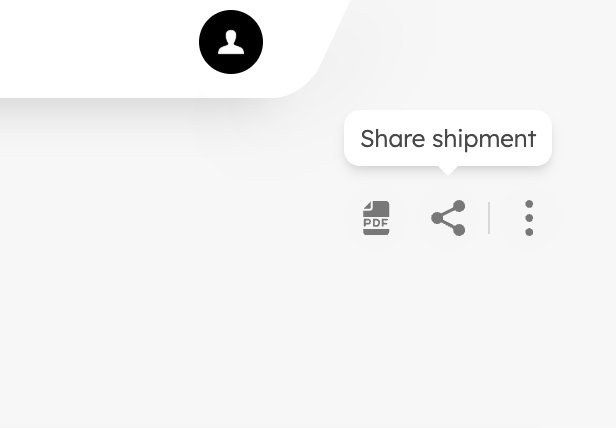
Locate the "Share shipment" icon in the top right corner.
- Choose the content you want to share (auto-selected based on shipment type).
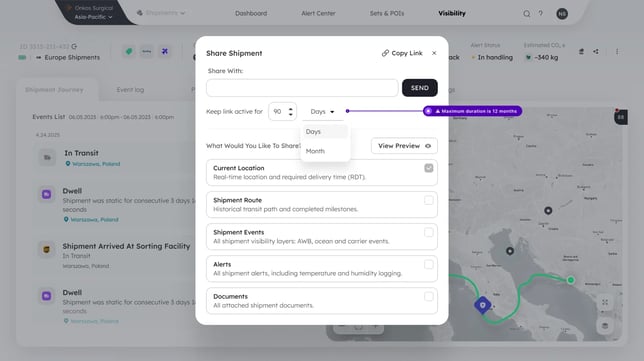
- Select a link expiration period.
- Review the preview of the public page.
-3.png?width=670&height=377&name=Shipment%20Journey%20(1)-3.png)
- Click Generate Link and copy it to your clipboard.
Recipients will see a secure, read-only version of the shipment with only the data you selected to share.
-1.png?width=670&height=377&name=Shipment%20Journey%20(3)-1.png)
Frequently Asked Questions
What happens when a link expires?
Recipients see an “Expired Link” page with instructions to request a new link from the sender.
.png?width=670&height=377&name=Shipment%20Journey%20(4).png)
Can I share shipments without Sensos Labels?
Yes. Sensos now presents high-quality shipment metadata and milestones even without sensor data.
Is the shared page live?
Yes. Recipients see real-time updates until the link expires.
Benefits of Sharing Shipment Status
- Enhanced Transparency: All stakeholders can stay updated on the shipment's progress, fostering trust and collaboration.
- Improved Collaboration: Streamlined communication allows for proactive planning and faster problem-solving.
- Enhanced Customer Satisfaction: Keep your customers informed and provide them with real-time shipment updates.
By sharing shipment status through Sensos, you can streamline communication, enhance transparency, and optimize your supply chain efficiency.
PDF Reporting for Offline Sharing
In addition to sharing a live link to a shipment’s status, Sync supports static, downloadable PDF reports via the Single Shipment Report feature.
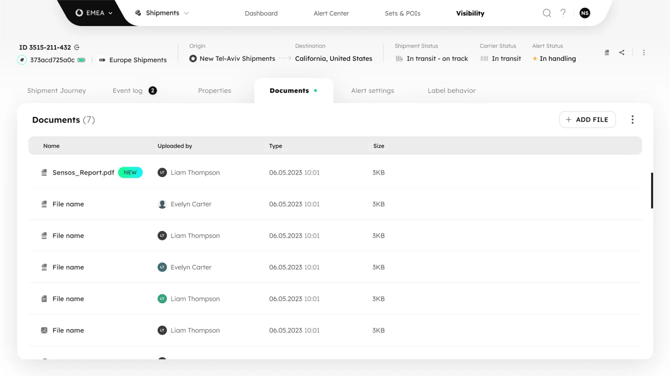
- This is especially useful when sharing shipment data with external stakeholders who don’t have access to Sync.
- The PDF includes all key shipment data and logs, and can be tailored to include only the relevant sections.
- Ideal for auditing, partner communication, or regulatory documentation.
Look for the “Generate PDF” option in the shipment menu to begin.
LEARN MORE
Get in Touch. We’re Here to Help.
Let’s discuss how Sensos can transform your logistics operations:
Contact Us